



Yes. PVC flooring product data can connect directly to a distributor’s ERP through an API, EDI, or automated SFTP file transfers. The link syncs specs, available stock, and your tier pricing without manual typing.
I work as a QC specialist in a PVC flooring factory. I check product quality every day, so I know how much data sits behind each roll and each carton: wear layer thickness, dimensions, batch numbers, and test results. I also see what happens when that data reaches a distributor by email or Excel. Someone retypes it. A "0.7 mm" wear layer becomes "0.5 mm". A tile size gets mixed up with a roll width. The wrong product ships, and the claim lands on both of us. I do not build the integrations myself. Our technical team does that with your IT team. My part is to make sure the data at the source is correct before it moves. This article covers what the link does for you, what data moves through it, how it works, which ERPs can use it, and how to start.
Before you decide, you need to know what problems this link actually solves. Let me start with the pain points I see most often.
Why Should You Connect Manufacturer Data to Your ERP?
Connecting manufacturer data to your ERP cuts entry errors, shows the stock you can sell, updates your prices at once, and adds new collections in minutes. Your team spends less time typing and more time selling.
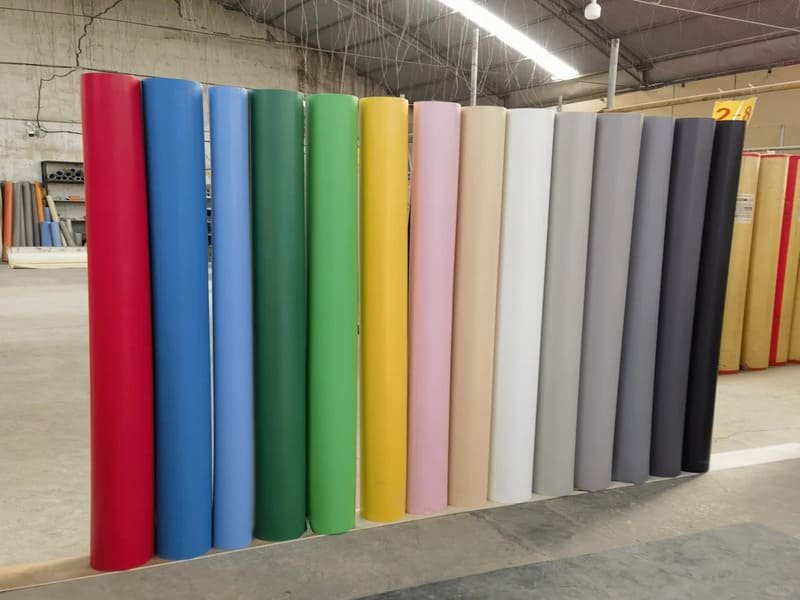
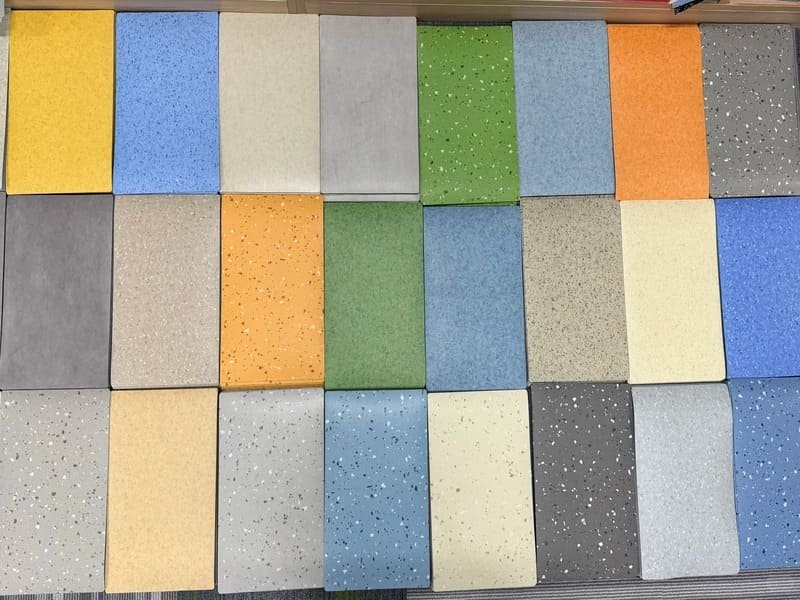
PVC flooring has many variants. One collection can come in several colors, thicknesses, wear layers, and formats such as roll, plank, or click tile. When someone types these into an ERP by hand, small errors add up fast. From the QC side, I have seen orders returned because a purchase order listed the wrong thickness. A direct sync stops this, because the data moves as it was recorded at the factory.
Four Problems the Link Solves
| Problem | What Happens Today | What Changes With a Data Link |
|---|---|---|
| Manual entry errors | Wrong thickness, color, or format on the PO | Specs come straight from the source |
| Stock blind spots | You confirm a project, then face a backorder | You see the stock the factory can promise to you before you confirm |
| Old prices | You wait for a new Excel sheet | Your own tier pricing updates when raw material costs or discounts change |
| Slow launches | New collections take weeks to list | New SKUs load in minutes |
Stock needs one important note. A factory warehouse holds goods that are already booked for other customers. So a good link does not show every roll in the building. It shows Available-to-Promise (ATP) stock, which is the quantity set aside for you and free to ship. This protects large commercial projects. If you promise 5,000 square meters, you need to know that all 5,000 can leave the factory.
So what exactly travels through this connection? The next section lists the data, and some of it may surprise you.
What Product Data Can Be Synced?
Almost everything in a product record can sync: SKUs, technical specs, test ratings, packaging data, tier pricing, ATP stock, and digital files. A complete record means fewer questions from your sales team to the factory.
I think of the data in five groups. Each group answers a question that your sales team, buyers, or clients ask every week.
The Five Data Groups
| Group | Example Fields | Why It Matters |
|---|---|---|
| Core identifiers | SKU, GTIN/UPC, product name, brand line | Correct matching in quotes, orders, and invoices |
| Technical specs | Length, width, total thickness, wear layer (e.g., 0.5 mm, 0.7 mm) | Commercial specs need exact numbers |
| Performance and standards | ASTM F2772 for indoor sports floor performance, EN 14904 for indoor sports surfaces, ESD conductivity, slip resistance, fire rating | Project tenders often ask for proof |
| Logistics and packaging | Weight per carton or roll, pieces per carton, pallets per container | You calculate freight cost with these numbers |
| Price and stock | Your distributor tier pricing (not only standard MSRP), ATP stock | You quote with numbers you can honor |
I also suggest syncing digital assets. These include links to high-resolution images, Technical Data Sheets, installation manuals, and warranty PDFs. In my daily work, I see the test reports that match each batch. When the report link sits in the ERP next to the SKU, your team can answer a client’s request in one minute. Tell your manufacturer which standards matter in your market, and ask them to write the exact test method name in each field. That keeps the data clear and easy to check.
Now you know what data moves. The next question is how it gets from the factory to your screen, and there is more than one way.
How Does the Connection Work?
Three methods work: an API for real-time two-way sync, EDI for secure orders and invoices, and SFTP file drops in XML or CSV for older systems. The right choice depends on your ERP.
Think of it like shipping. An API is a direct phone line. EDI is a formal letter with a fixed template. An SFTP file drop is a daily delivery to a locked mailbox. All three can work well. Your IT team and our technical team will pick the one that fits your system.
Comparing the Three Methods
| Method | Speed | Best For | Limits |
|---|---|---|---|
| API (REST) | Real time, two-way | ATP stock, pricing, and product updates between the manufacturer’s PIM and your ERP | Needs an ERP with open API support |
| EDI | Scheduled or near real time | Purchase orders, invoices, and advanced shipping notices (ASNs) | Setup with trading partners takes time |
| SFTP flat files (XML/CSV) | Daily or hourly drops | Older ERPs without modern APIs | Not instant, so stock can lag by hours |
The API is the gold standard. Two systems talk in both directions, so a change in your allocated stock shows up in your ERP quickly. EDI still suits large B2B flows, because it handles order paperwork in a secure and standard way. The flat-file route costs less and works with older systems. A daily file of inventory and product data is often enough for a distributor who sells from a catalog and does not need minute-by-minute numbers.

A method only helps if your ERP can use it. Let me show you which systems work with each option.
Which Distributor ERPs Can Be Integrated?
Most modern ERPs can connect, including SAP Business One, Oracle NetSuite, Microsoft Dynamics 365, Odoo, Acumatica, Epicor, and Sage. If your ERP has an open API or an import mapping tool, connection is possible.
The brand name matters less than what your ERP can accept. I have seen small distributors on cloud systems connect faster than large ones on heavy custom setups.
ERP Groups and Typical Fit
| ERP Group | Examples | Typical Connection Route |
|---|---|---|
| Mid-to-large enterprise | SAP Business One, Oracle NetSuite, Microsoft Dynamics 365 | API or EDI |
| SME and cloud | Odoo, Acumatica, Epicor, Sage | API or scheduled import mapping |
| Older or customized systems | On-premise legacy ERPs | SFTP flat files |
Ask your IT team or ERP vendor two simple questions. Does the system offer a REST API? Does it have a tool to map and import CSV or XML files? A yes to either means you can move forward. From the factory side, I would rather meet your team early. We can then match our product fields to your ERP structure before anything goes wrong.
Compatibility is only part of the story. Every integration also has hurdles, and I want to be honest about them.
What Challenges Come With ERP Integration?
The main challenges are unit and format clashes, upfront setup cost, price and stock rules, and old ERPs that lack API support. Each one has a proven fix, and saved labor usually repays the cost.
I do not want to sell you a perfect picture. These hurdles are real, and I have seen each of them on projects.
Challenges and Fixes
| Challenge | Example | Fix |
|---|---|---|
| Format clashes | Factory records millimeters, you sell in inches | Middleware or a data transformation map converts units |
| Price complexity | Bulk tiers, customer discounts, and freight changes differ by distributor | Sync your own tier price list and agree on which system owns each price |
| Stock rules | Physical stock is not the same as stock free to sell | Sync ATP stock only, set aside for your account |
| Setup cost vs. ROI | IT hours and possible middleware fees at the start | Compare against saved data-entry hours, fewer returns, and captured sales |
| Legacy systems | ERP too old for a REST API | Use SFTP flat-file transfer on a set schedule |
Unit conversion sounds small, but it causes real damage. A 2.0 mm total thickness converted with the wrong rounding can change how a product fits a spec sheet. So I suggest you test a sample of 20 to 30 SKUs and check each converted value by hand. On cost, count the hours your staff spend on manual entry each month and the value of each returned pallet. Those numbers usually make the case clear. If your ERP is very old, do not wait for a full upgrade. A flat-file setup can start working in weeks.
Once you accept the hurdles, you are ready to move. Here is the order I would follow.
How Do You Start the Integration Process?
Follow four steps: check your ERP’s abilities, request data documentation from the manufacturer, map the data fields, and test in a sandbox before going live.
Do not try to connect everything on day one. A clean start saves weeks later.
The Four-Step Plan
| Step | Action | Who Helps |
|---|---|---|
| 1. Assess your ERP | Learn if it supports REST APIs, EDI, or file import | Your IT team or ERP vendor |
| 2. Request documentation | Ask for API keys, sample CSVs, and endpoint URLs | Your PVC flooring manufacturer |
| 3. Map the data fields | Match factory fields like "Wear Layer" to the right custom field in your ERP | Both technical teams |
| 4. Test in a sandbox | Run sample data in a test environment before live production | Both technical teams |
Field mapping is the step where most projects slow down. The factory may call a field "Wear Layer" while your ERP has no such field, so you must create a custom field first. I also suggest that you decide early which system owns each piece of data. The factory should own specs, test results, and ATP stock. You should own your selling price and customer terms. When sandbox tests pass, push one small product line to production first. Then add the rest in batches. This lets you catch small errors while they are still cheap to fix.
Conclusion
Seamless data flow is the future of B2B flooring distribution. Connect your ERP to accurate manufacturer data, and you sell faster with fewer errors.